
The last post ended with a promise: from a card in the drawer to a shared family cookbook. This one is about the path between those two points.
That path has four jobs: onboarding, creating and importing recipes, viewing and sharing them, and managing the cookbook, family, members and subscriptions. A family recipe app only works if the people who hold the recipes actually use it. That includes the relative who photographs a card rather than types it, and the cook who follows steps with flour on their hands. Each of the four jobs had to work for both.

Onboarding
You don't need to arrive with a whole family cookbook. Start with one dish you'd miss if nobody wrote it down.
The app is free to download, and the free plan is enough to begin. Our design goal for onboarding is that a first session ends with one recipe saved, not a tour of features. Everything else can wait until the cookbook starts to grow.
Creating and importing recipes
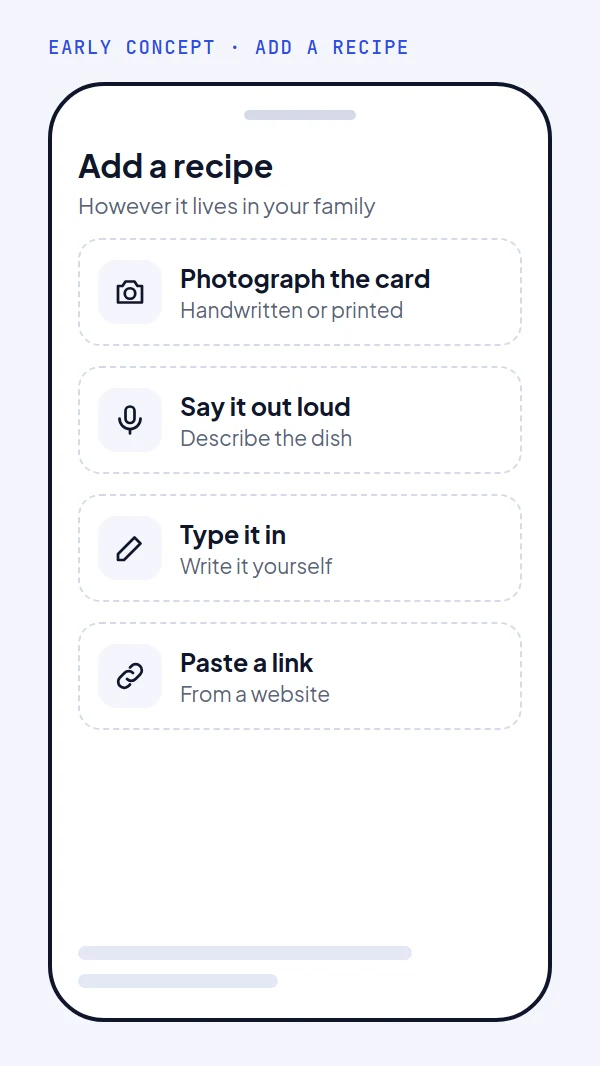
Recipes arrive in different forms, so the app accepts all of them. Photograph a handwritten or printed card, even one that runs across several pages. Describe the dish out loud. Type it in. Or paste a link from a website.
When you photograph a recipe, the original stays with it: the app keeps your photo of the card, so the handwriting isn't lost.
A recipe in A Plate in Time is more than ingredients and a method. Alongside them you can keep photos, memories, notes and tips: the details that explain why a dish matters and how your family likes to make it. The flow treats those as part of the recipe, not an extra. Saving the dish and saving its story are the same act.
Viewing and sharing
Saving a recipe is useful. Cooking from it is the point.
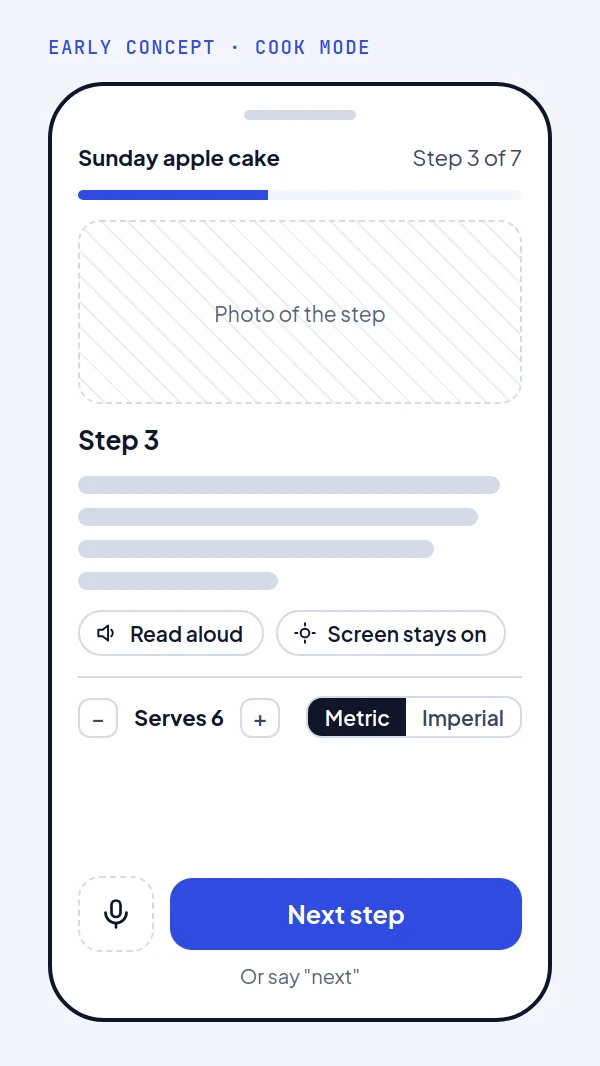
Cook mode shows one step at a time and keeps the screen awake. It can read each step aloud, and voice commands move you on when your hands are busy. You can change the number of servings and switch between metric and imperial.
A family recipe rarely stays the same. Someone swaps an ingredient, adjusts a quantity or makes it work in a different kitchen.
The Journey keeps every version connected, so you can see what each cook changed and where the recipe came from. You can keep recipes private to your family group, share them with everyone, or keep one to yourself. Photos of what you've made give everyone another way to join in.
Managing the cookbook, family, members and subscriptions
A shared cookbook needs a little looking after.
You invite your family, and for every recipe the audience is your choice: private to your group, shared with everyone, or just you. The free plan covers the basics; the paid Member plan adds publishing, family sharing and higher limits.

Behind it all, the same promises apply as everywhere else in the app: your recipes, photos and account details are never sold, and a real person who works on the app answers support.
Next in this series: how AI is used in the app, and where it deliberately stops. Come back soon to hear how we're progressing as we deliver the platform.